RSS reader and podcast player

An RSS reader that also plays podcasts.

Shows & Stories reads blogs and other RSS feeds and plays podcasts and video podcasts, all in the same library. The app runs on Windows, on Android and in the browser and keeps your devices in sync.

Reading

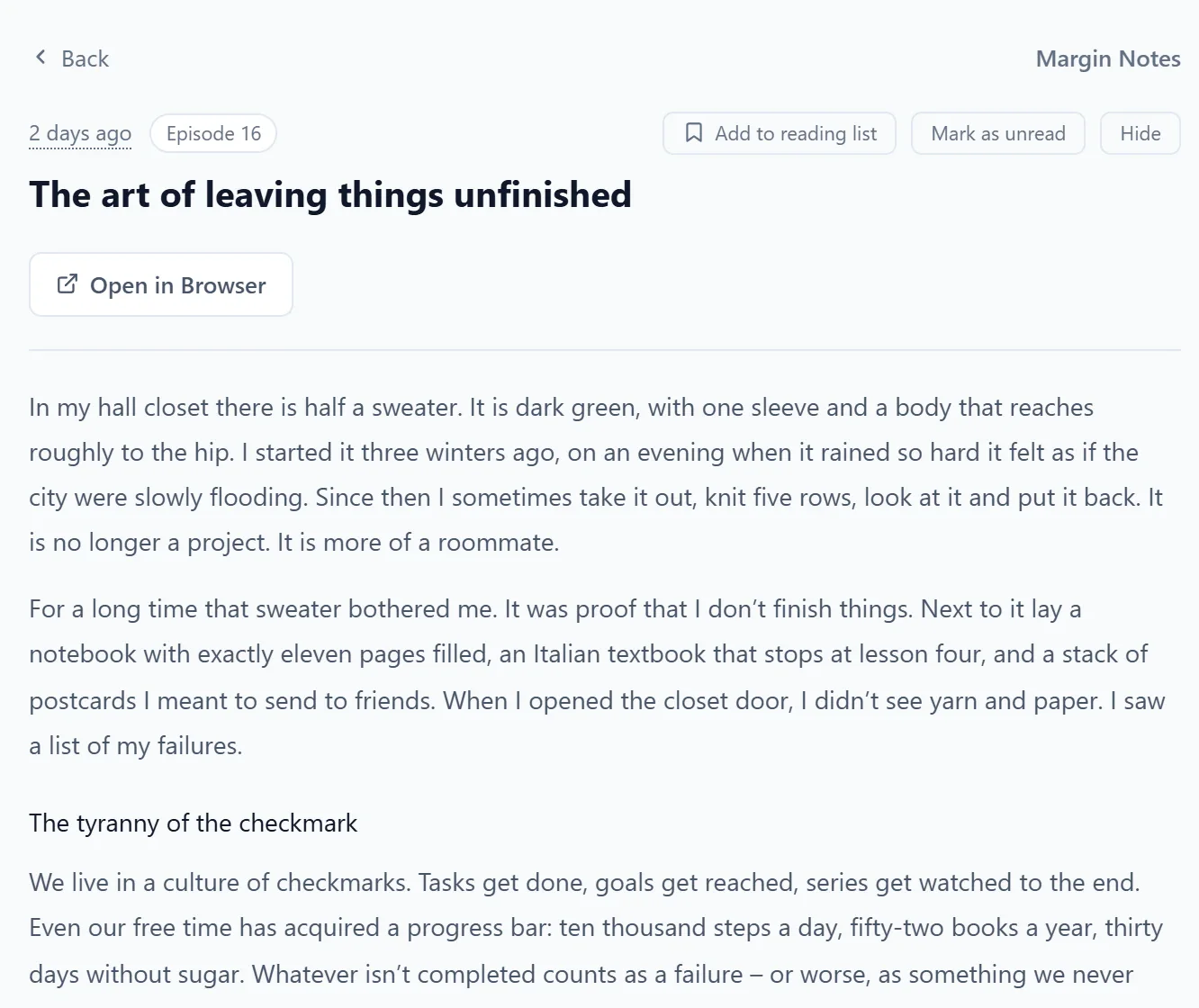
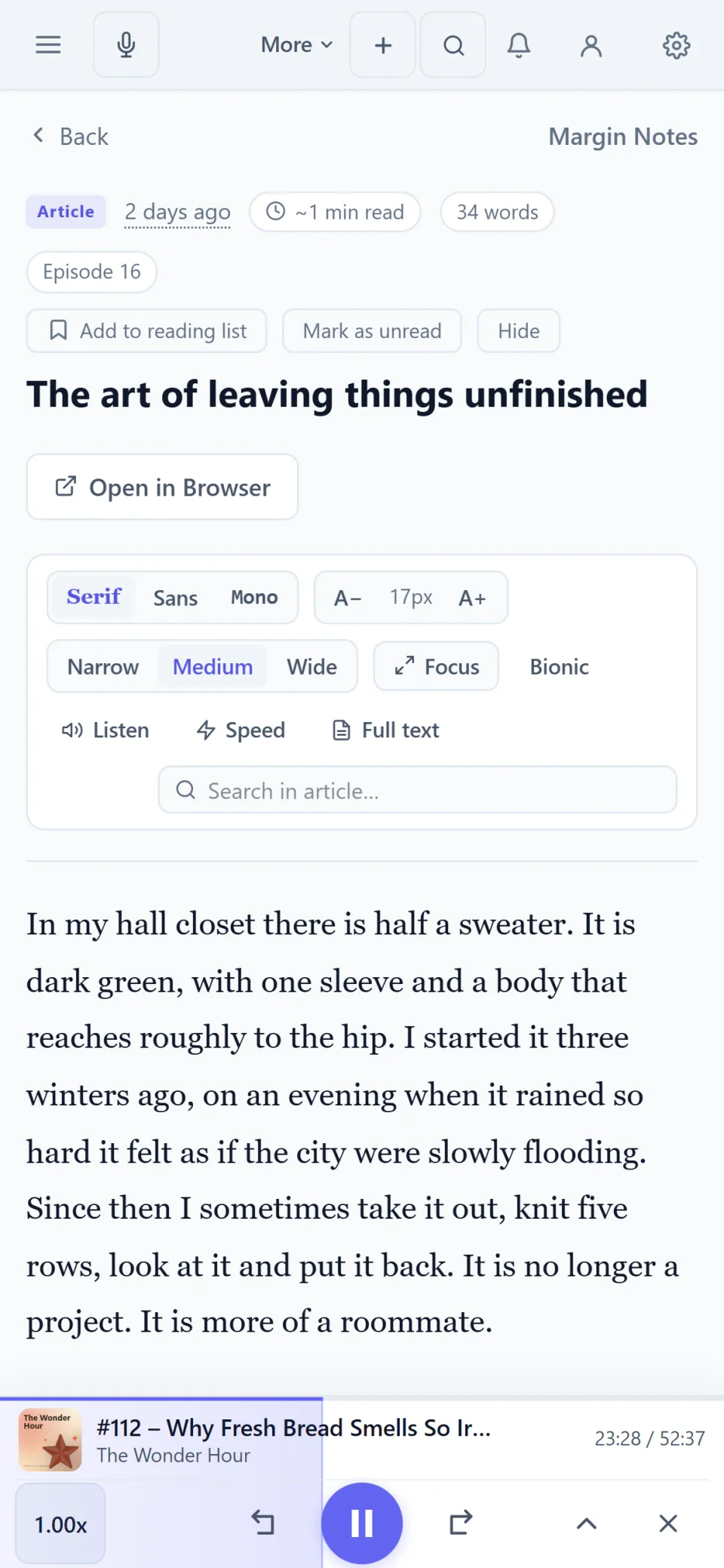
Articles in the reading view.

You can subscribe to any RSS or Atom feed by its address. The feed shows a preview, and the full article opens in the reading view in one click.

  • Subscribe to RSS and Atom feeds by address
  • Preview in the feed, full article in one click
  • Counters show what’s new
A blog post in the app’s reading view, with subheadings and body text.
A blog post in the reading view on a phone.

Listening and watching

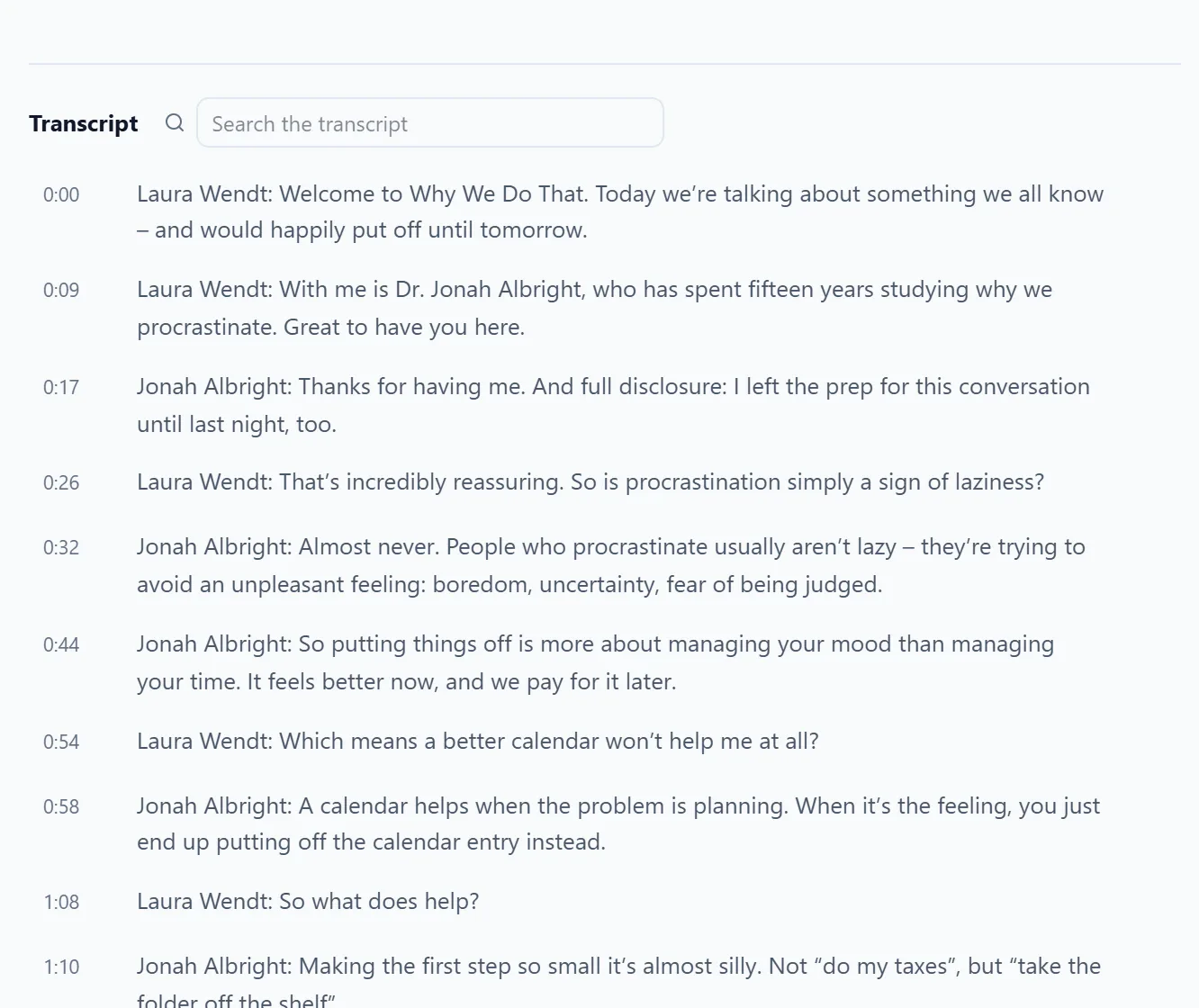
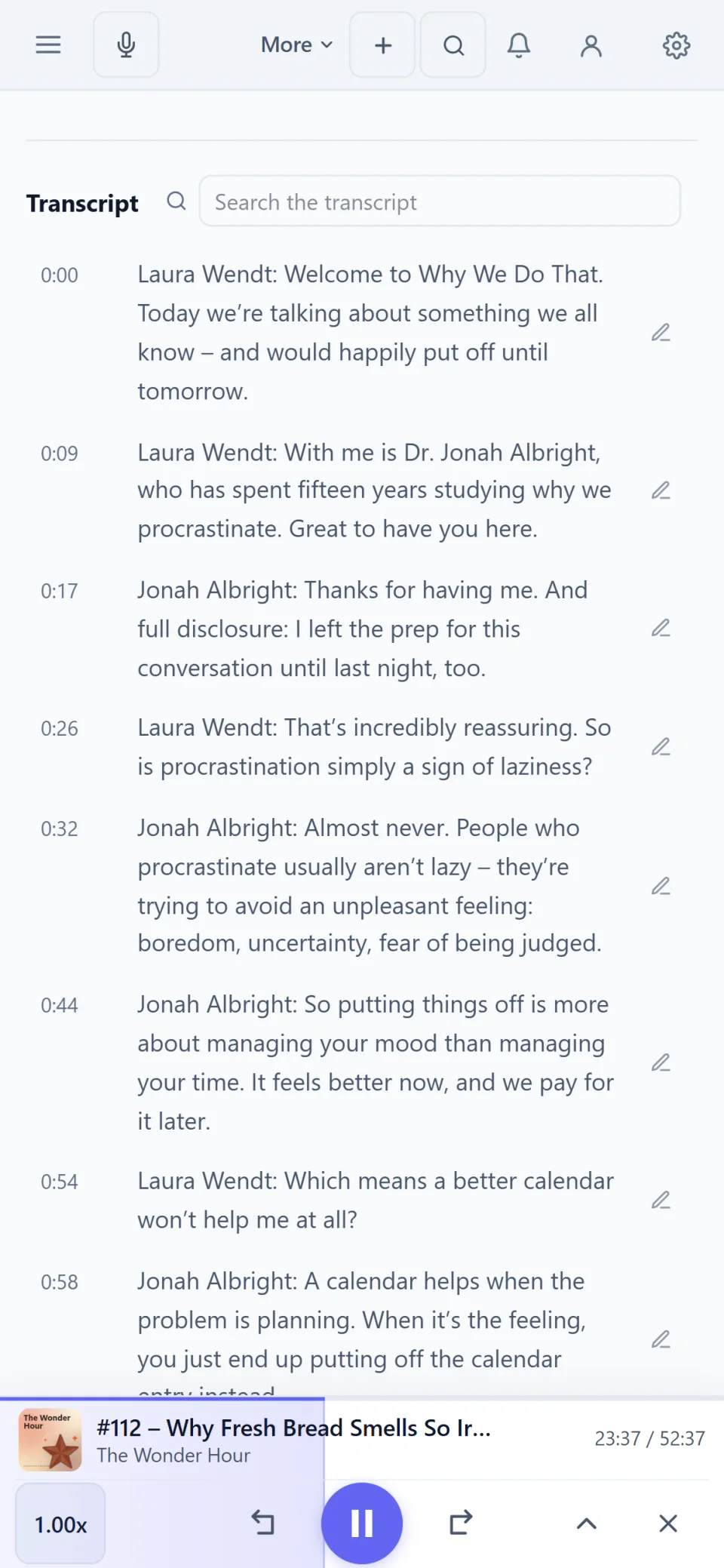
Podcasts with chapters and transcripts.

Podcasts play in the same app as your articles. Chapters, transcripts to read along and time-stamped notes are part of it, and video podcasts play in the built-in video player.

  • Read along and search the transcript
  • Speed, sleep timer, Smart Speed
  • Video podcasts in full screen or picture-in-picture
An interview episode’s transcript with timestamps and a search field.
An interview episode’s transcript on a phone.

Library

Audio, video and articles in one list.

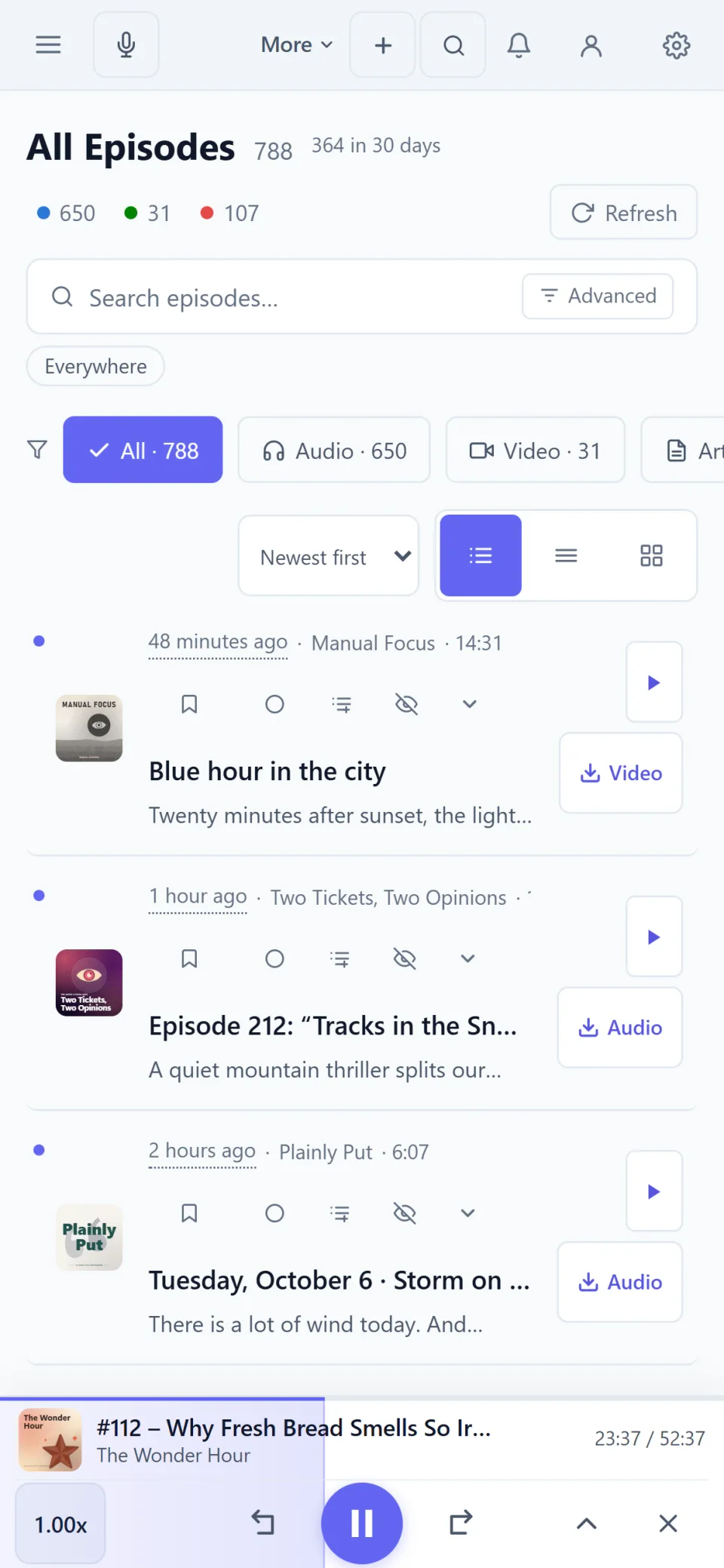
New episodes and new articles appear in one shared list that you can filter by audio, video or article. Folders work the same for podcasts and blogs.

  • Filter by audio, video or article
  • Folders for podcasts and blogs
  • Advanced search and filters for episodes and articles
The All Episodes view on a phone, with filters for audio, video and articles.

Devices

For Windows and Android, with sync.

The reader comes as a desktop app for Windows, as an Android app and in the browser. One account keeps subscriptions, progress, notes and playlists the same on all devices.

  • Desktop app for Windows
  • Android app
  • Web app in the browser
A blog post in the reading view on a phone.

Real screenshots of the app. The shows, episodes and people in them were made up for this page.

Quick answers.

Can I bring my feeds from another reader?
Yes, with an OPML file, in one step and with your folder structure. You can export your subscriptions again at any time. Import and export are part of the account and included in the 7-day trial.
Which devices does it run on?
As a desktop app for Windows from the Microsoft Store, as an Android app on Google Play and as a web app in any current browser. An account keeps subscriptions and progress the same on all devices.
Can I try it without an account?
Yes, in the browser and in the Android app: permanently as a guest with up to 10 subscriptions. The Windows app needs an account.

Try it in your browser.

No account and nothing to install, with up to 10 subscriptions. The full version can be tried free for 7 days without payment details.